Turn text into voice.
High quality. Private. Offline. Read anything aloud with 180+ natural voices in 50+ languages — no account, no internet, no subscription.
Works 100% offline · No tracking · iPhone, iOS 17+
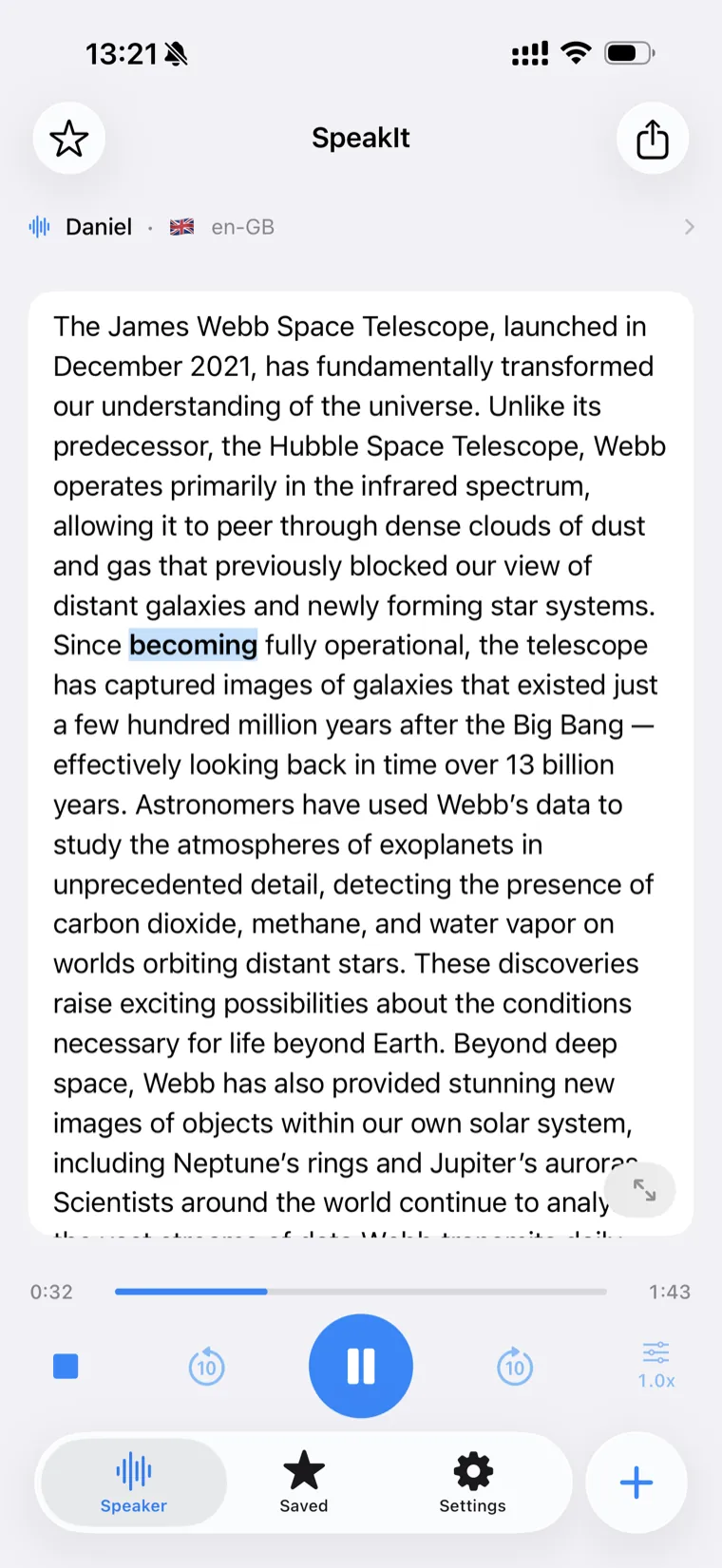
Built to read anything, beautifully
From a quick paragraph to a long document — SpeakIt makes it effortless to listen, follow along, and stay focused.
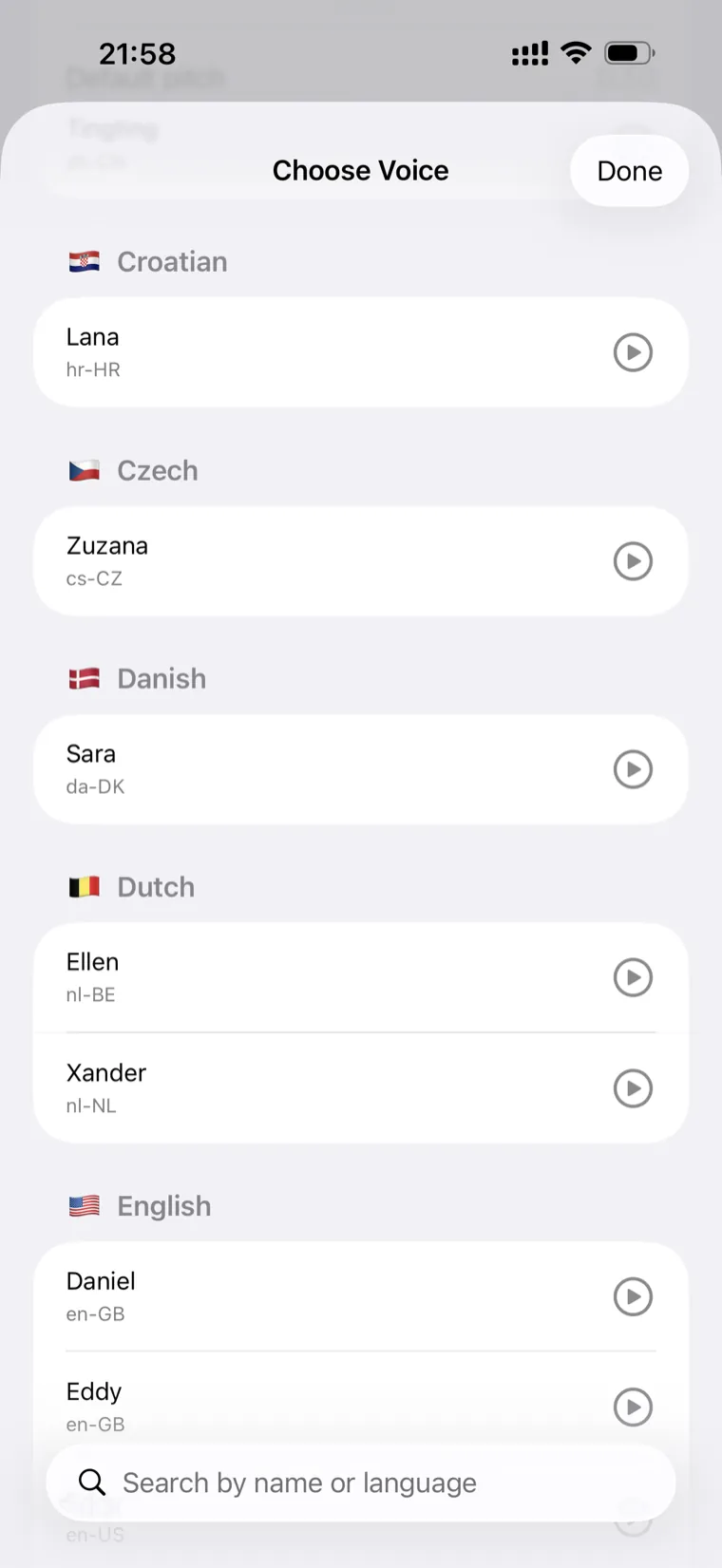
180+ natural voices, 50+ languages
Browse voices grouped by language with country flags. Tap to preview each one, mark your favorites, and pick the perfect read for any text.
- Enhanced & Premium quality voices clearly marked
- Jump straight to any language and hear a sample
- Adjust speed and pitch to your taste
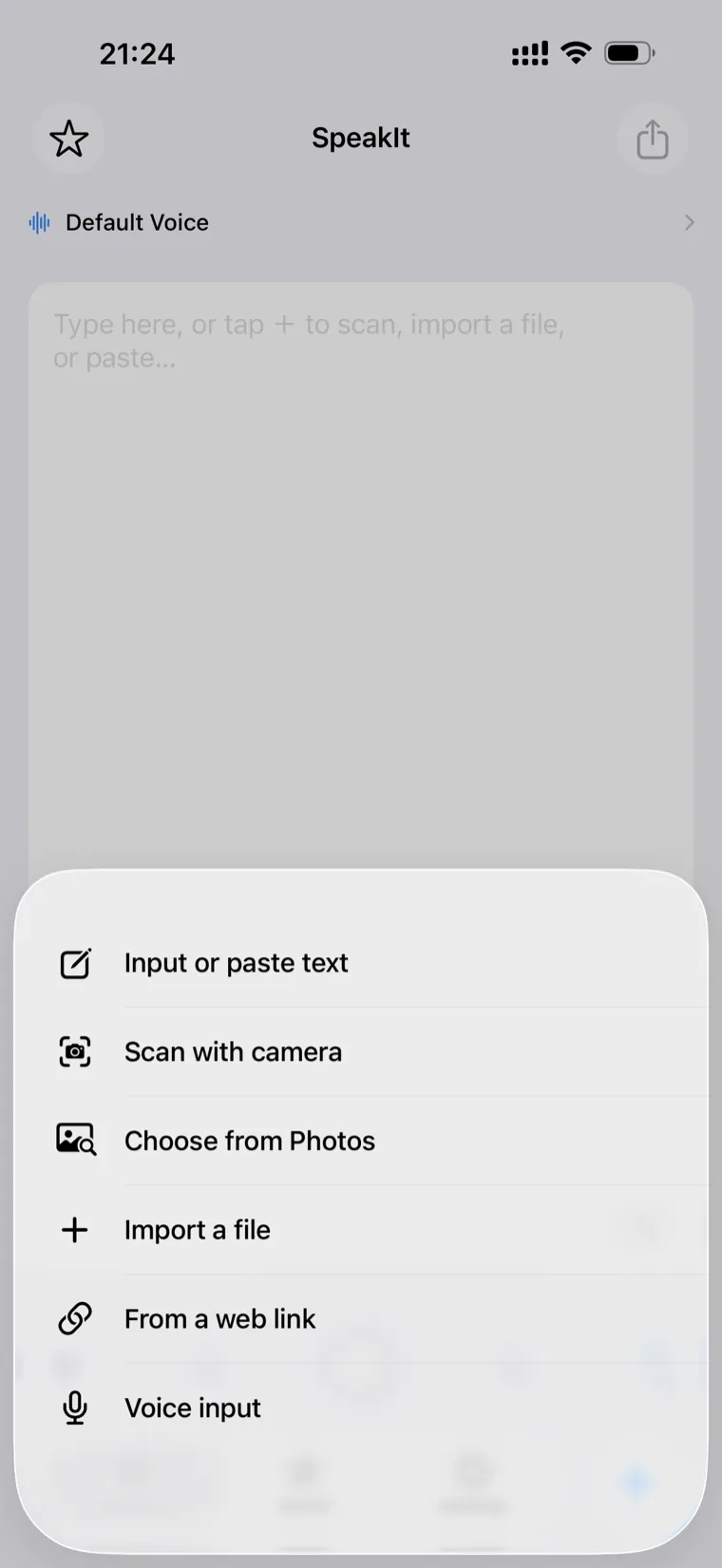
Input your way — from anything to speech
However your text shows up, SpeakIt can read it. Type or paste, scan a page with the camera, pull text from a photo, import a file, grab an article from a web link, or just dictate.
- Scan printed pages with multi-language OCR
- Import PDF, TXT and RTF documents
- Read articles straight from a web link
AI writes it — on device, offline
Need something to listen to? Describe it and SpeakIt drafts the text for you with on-device Apple Intelligence — completely free, no connection required, and nothing leaves your iPhone.
- Runs locally — no account, no cloud
- Writes in the language you ask for
- Available on supported Apple Intelligence devices
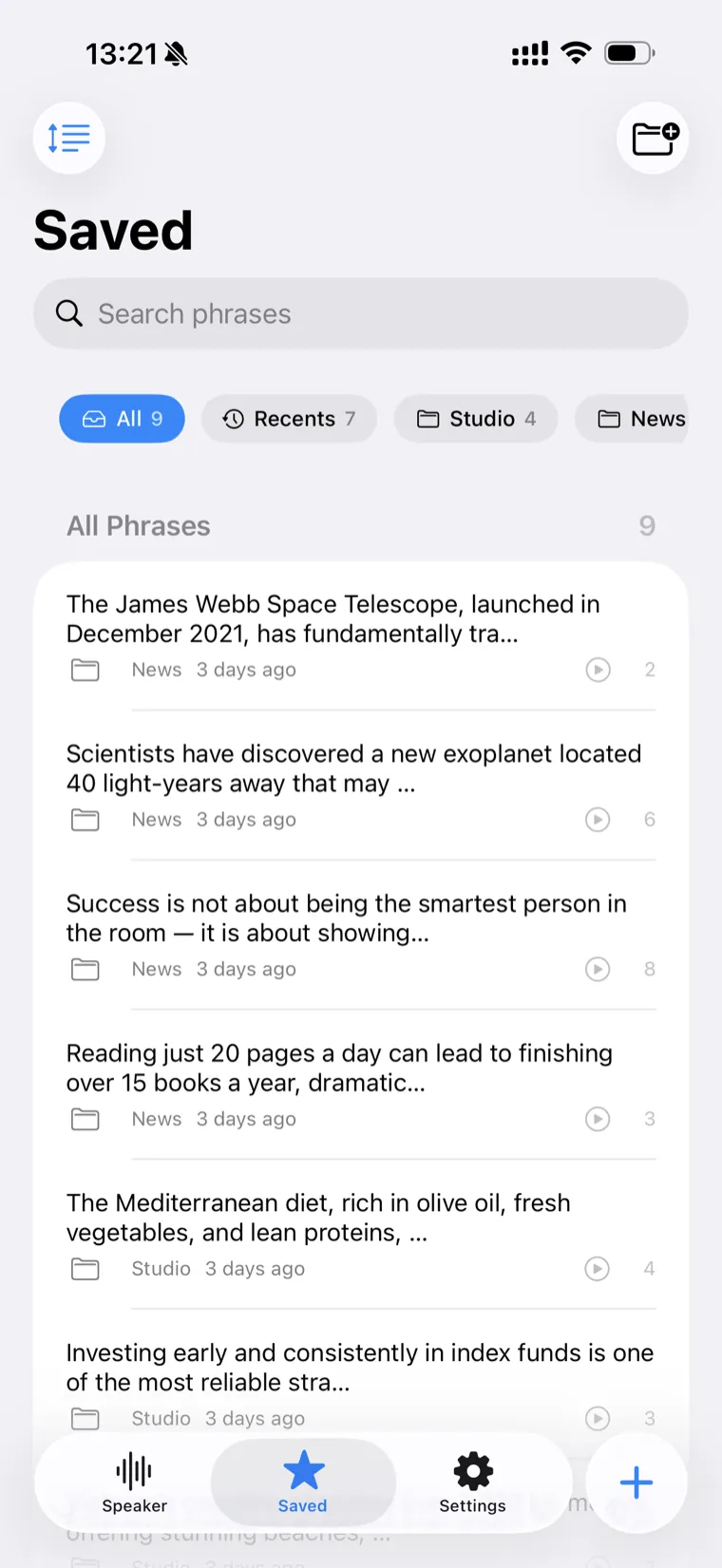
Save every voice, organized your way
Star the text you come back to and sort it into folders by topic, project, or idea. Recents keeps your history close, and search finds anything in seconds.
- Folders, favorites and automatic Recents
- Search across everything you've saved
- Back up and restore your library as a file
Thoughtful details everywhere
Read-along highlighting
Each word lights up as it's spoken, so your eyes follow along and never lose the place.
Precise playback controls
Skip back or forward 10 seconds and fine-tune speed and pitch — even while it's reading.
Personal Voice ready
Created a Personal Voice on iPhone? SpeakIt can read in a voice that sounds like you.
13 interface languages
Use the app in your language — switch any time, independent of your device settings.
Focus mode
Hide everything but your text for a calm, distraction-free reading and listening view.
One-time SpeakIt Pro
Optional upgrade for unlimited folders — a single purchase, no subscriptions, ever.
Made for the way you read
Private by design. Offline by default.
SpeakIt does its work right on your iPhone. Your text, your voices, and your saved library stay on your device — there's no account to create and nothing to upload to read aloud.
Frequently asked
Is SpeakIt really fully offline?
Yes. Reading text aloud, the voices, and your saved library all work on your device without an internet connection. A connection is only needed for optional extras like fetching an article from a web link or voice dictation in certain languages.
Is there a subscription?
No. SpeakIt is free to download and use. There's an optional one-time SpeakIt Pro upgrade that unlocks unlimited folders — it's a single purchase, never a recurring subscription.
How many voices and languages are there?
SpeakIt offers 180+ voices across 50+ languages, built on Apple's high-quality speech engine. Voices are grouped by language with flags, and Enhanced and Premium voices are clearly marked.
How do I get the most natural-sounding voices?
Higher-quality Enhanced and Premium voices are free to add from iOS Settings → Accessibility → Spoken Content → Voices. Once downloaded they appear in SpeakIt automatically. The app guides you through it in just a few steps.
What is Personal Voice support?
If you've created a Personal Voice in iOS (Settings → Accessibility → Personal Voice), SpeakIt can read your text in a voice that sounds like you. Personal Voice is created and stored by iOS on your own device.
Can SpeakIt read photos, PDFs and web pages?
Yes. You can scan printed pages with the camera, pull text out of a photo, import PDF, TXT and RTF files, paste from anywhere, dictate with your voice, or load an article from a web link.
What do I need to run it?
SpeakIt is an iPhone app that requires iOS 17 or later. On-device AI text generation requires a device that supports Apple Intelligence.
Does SpeakIt collect my data?
No. There's no account and your text isn't uploaded to read it aloud. SpeakIt doesn't track you or show ads. See our Privacy Policy for the full details.
Start listening today
Download SpeakIt and turn any text into natural, private, offline speech — right now, for free.